

















The Interactive Maths Series (Second Edition) software helps Year 7 to 10 students at all levels of mathematical ability learn maths, reinforce concepts and consolidate skills. The software's eLearning approach achieves this by:
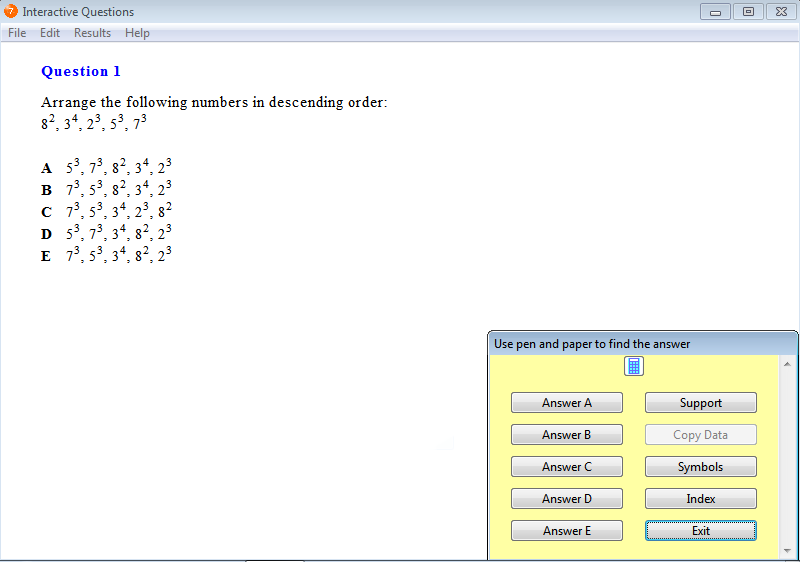
A question from Chapter 2: Powers and Roots, Exercise 13: Descending Order.
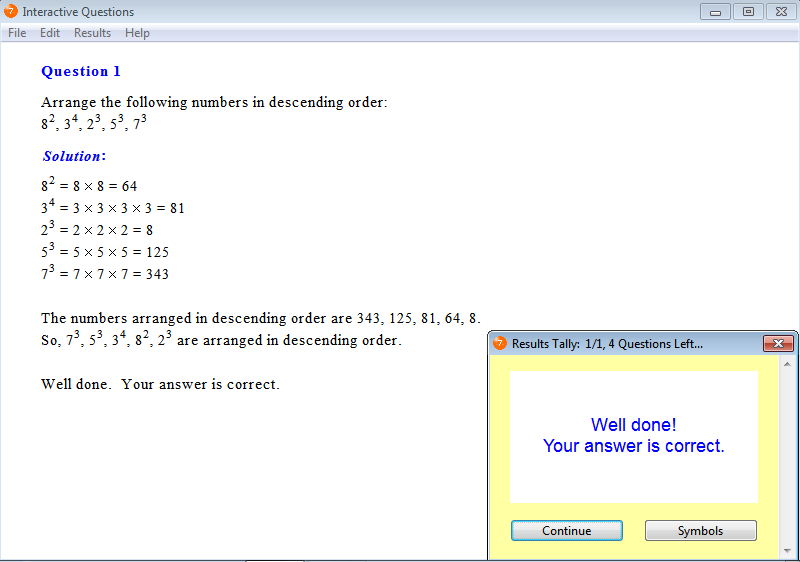
A helpful solution is provided so students can identify mistakes in their working and reinforce concepts, reasoning or mathematical laws.
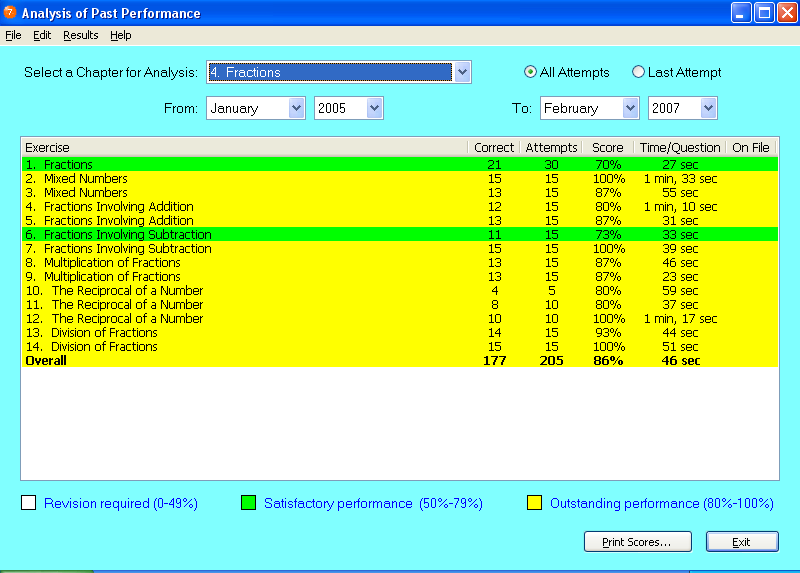

Click Mathematics Software Tutorials to watch 2 tutorials that show how students use the mathematics software and 4 tutorials that explain some of the software features available to teachers.

The Interactive Maths Series (Second Edition) works with Microsoft® Windows 10, 8, 7, Vista and XP and Apple® Mac® OS X v10.3-10.13. For more information about the software platform, click Software Requirements.

Year 7 Interactive Maths software
Year 8 Interactive Maths software
Year 9 Interactive Maths software
Year 10 Interactive Maths software
| Home Page | Order Maths Software | About the Series | Maths Software Tutorials |
| Year 7 Maths Software | Year 8 Maths Software | Year 9 Maths Software | Year 10 Maths Software |
| Homework Software | Tutor Software | Maths Software Platform | Trial Maths Software |
| Feedback | About mathsteacher.com.au | Terms and Conditions | Our Policies | Links | Contact |
Copyright © 2000-2022 mathsteacher.com Pty Ltd. All rights reserved.
Australian Business Number 53 056 217 611
Copyright instructions for educational institutions
Please read the Terms and Conditions of Use of this
Website and our Privacy and Other Policies.
If you experience difficulties when using this Website, tell us through the feedback form or by phoning the contact telephone number.
